 SUCHEN SIE DIE PASSENDE
INDUSTRIELLE LÖSUNG?
Entdecken Sie Embedded-, Kommunikations- und Automatisierungslösungen für Ihre Anwendung.

The AD-Logger is engineered to simplify data acquisition workflows while maintaining high flexibility and performance. Its key features include:
- Configuration-Based Operation:
Built on ADLINK’s DAQPilot task configuration framework, the AD-Logger allows users to define acquisition tasks without programming. Users can configure channels, sampling rates, triggers, and logging parameters through an intuitive graphical interface.
- Real-Time and Historical Data Viewing:
The software supports both live data visualization and playback of previously recorded sessions. This dual-mode capability enables users to monitor ongoing experiments and review historical trends for analysis and reporting.
- Intuitive User Interface:
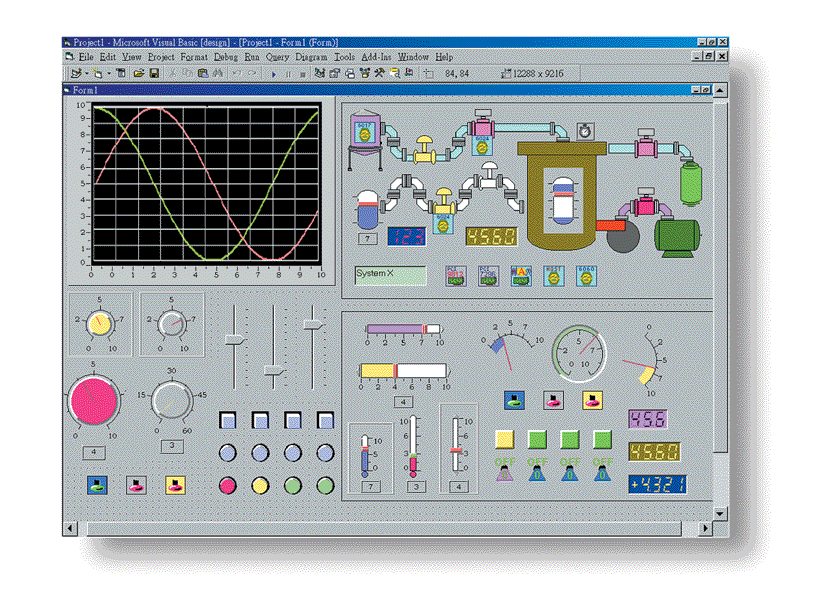
Designed as a ready-to-run application, the AD-Logger provides a clean, user-friendly interface that minimizes setup time. The interface includes customizable dashboards, graphical widgets, and monitoring panels for quick access to key parameters.
- Comprehensive Data Export Functions:
Data can be exported for offline analysis in multiple third-party environments, including Microsoft Excel, NI DIAdem, and MathWorks MATLAB. This ensures compatibility with standard engineering and scientific analysis tools.
- Full Support for ADLINK DAQ Hardware:
The AD-Logger supports the complete range of ADLINK DAQ devices, including analog input/output, digital I/O, and counter/timer modules. It automatically detects connected hardware and adapts configuration options accordingly.
- Monitoring Toolbox:
A built-in monitoring toolbox provides real-time visualization of system performance, signal integrity, and acquisition status. Users can track buffer usage, sampling rates, and data throughput in real time.
- Buffer Monitoring Mechanism:
The AD-Logger includes an automatic buffer monitoring and evaluation system that continuously checks the data processing pipeline. It alerts users to potential bottlenecks or data loss conditions, ensuring reliable long-term logging.
- Ready-to-Run Application:
No programming or scripting is required. The AD-Logger is designed for immediate deployment, making it ideal for laboratory, industrial, and field data acquisition tasks.
- Configuration-Based Operation:
Built on ADLINK’s DAQPilot task configuration framework, the AD-Logger allows users to define acquisition tasks without programming. Users can configure channels, sampling rates, triggers, and logging parameters through an intuitive graphical interface.
- Real-Time and Historical Data Viewing:
The software supports both live data visualization and playback of previously recorded sessions. This dual-mode capability enables users to monitor ongoing experiments and review historical trends for analysis and reporting.
- Intuitive User Interface:
Designed as a ready-to-run application, the AD-Logger provides a clean, user-friendly interface that minimizes setup time. The interface includes customizable dashboards, graphical widgets, and monitoring panels for quick access to key parameters.
- Comprehensive Data Export Functions:
Data can be exported for offline analysis in multiple third-party environments, including Microsoft Excel, NI DIAdem, and MathWorks MATLAB. This ensures compatibility with standard engineering and scientific analysis tools.
- Full Support for ADLINK DAQ Hardware:
The AD-Logger supports the complete range of ADLINK DAQ devices, including analog input/output, digital I/O, and counter/timer modules. It automatically detects connected hardware and adapts configuration options accordingly.
- Monitoring Toolbox:
A built-in monitoring toolbox provides real-time visualization of system performance, signal integrity, and acquisition status. Users can track buffer usage, sampling rates, and data throughput in real time.
- Buffer Monitoring Mechanism:
The AD-Logger includes an automatic buffer monitoring and evaluation system that continuously checks the data processing pipeline. It alerts users to potential bottlenecks or data loss conditions, ensuring reliable long-term logging.
- Ready-to-Run Application:
No programming or scripting is required. The AD-Logger is designed for immediate deployment, making it ideal for laboratory, industrial, and field data acquisition tasks.
1. Product Overview
Product Name: AD-Logger
Model / Article Number: AD-Logger
Series: ADLINK Configuration-Based Data Logger Series
Manufacturer: ADLINK Technology Inc.
The ADLINK AD-Logger is a configuration-based data logging software solution designed to provide a ready-to-run, user-friendly environment for data acquisition, monitoring, and analysis. Developed by ADLINK Technology, a global leader in edge computing and data acquisition solutions, the AD-Logger integrates seamlessly with ADLINK’s DAQ (Data Acquisition) hardware and DAQPilot configuration tools. It enables engineers, researchers, and system integrators to perform real-time and historical data logging, visualization, and export for offline analysis in third-party applications.
2. Key Features
The AD-Logger is engineered to simplify data acquisition workflows while maintaining high flexibility and performance. Its key features include:
- Configuration-Based Operation:
Built on ADLINK’s DAQPilot task configuration framework, the AD-Logger allows users to define acquisition tasks without programming. Users can configure channels, sampling rates, triggers, and logging parameters through an intuitive graphical interface.
- Real-Time and Historical Data Viewing:
The software supports both live data visualization and playback of previously recorded sessions. This dual-mode capability enables users to monitor ongoing experiments and review historical trends for analysis and reporting.
- Intuitive User Interface:
Designed as a ready-to-run application, the AD-Logger provides a clean, user-friendly interface that minimizes setup time. The interface includes customizable dashboards, graphical widgets, and monitoring panels for quick access to key parameters.
- Comprehensive Data Export Functions:
Data can be exported for offline analysis in multiple third-party environments, including Microsoft Excel, NI DIAdem, and MathWorks MATLAB. This ensures compatibility with standard engineering and scientific analysis tools.
- Full Support for ADLINK DAQ Hardware:
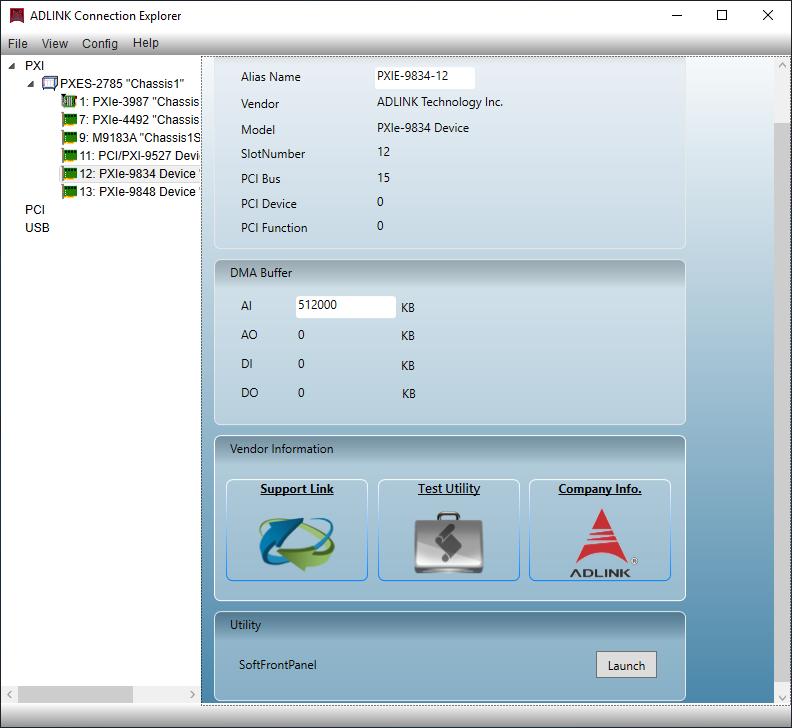
The AD-Logger supports the complete range of ADLINK DAQ devices, including analog input/output, digital I/O, and counter/timer modules. It automatically detects connected hardware and adapts configuration options accordingly.
- Monitoring Toolbox:
A built-in monitoring toolbox provides real-time visualization of system performance, signal integrity, and acquisition status. Users can track buffer usage, sampling rates, and data throughput in real time.
- Buffer Monitoring Mechanism:
The AD-Logger includes an automatic buffer monitoring and evaluation system that continuously checks the data processing pipeline. It alerts users to potential bottlenecks or data loss conditions, ensuring reliable long-term logging.
- Ready-to-Run Application:
No programming or scripting is required. The AD-Logger is designed for immediate deployment, making it ideal for laboratory, industrial, and field data acquisition tasks.
3. Technical Specifications
While the AD-Logger is primarily a software product, it operates in conjunction with ADLINK DAQ hardware. The following specifications summarize its operational and system requirements:
- Software Type: Configuration-based data logging and monitoring application
- Supported Platforms: Windows-based operating systems (Windows 10/11, 64-bit recommended)
- Supported Hardware: All ADLINK DAQ series devices (PCI, PXI, USB, Ethernet, and cPCI platforms)
- Data Acquisition Framework: DAQPilot configuration-based task management
- Data Logging Modes: Continuous, triggered, and scheduled logging
- Data Visualization: Real-time waveform display, numeric indicators, trend charts, and historical playback
- Data Export Formats: CSV, TXT, MATLAB (.mat), DIAdem-compatible formats
- Buffer Management: Automatic buffer allocation and monitoring with status indicators
- Performance Metrics:
- Sampling rate: Dependent on connected DAQ hardware (up to MHz range for high-speed modules)
- Channel count: Determined by hardware configuration (supports multi-channel acquisition)
- Data throughput: Optimized for high-speed streaming with minimal latency
- User Interface Elements: Graphical configuration panels, task manager, data viewer, and export manager
- System Requirements:
- CPU: Intel Core i5 or higher
- Memory: Minimum 8 GB RAM (16 GB recommended for high-channel systems)
- Storage: SSD recommended for high-speed data logging
- Display: 1920×1080 resolution or higher
4. Functionality
The AD-Logger functions as a bridge between ADLINK’s DAQ hardware and the user’s analysis environment.
- Operation Principle:
Users define acquisition tasks using DAQPilot configurations, specifying channels, sampling rates, and triggers. The AD-Logger executes these tasks, acquiring data from connected DAQ devices in real time. Data is buffered, displayed, and optionally stored to disk for later analysis.
- Use Cases:
- Laboratory data acquisition and experiment monitoring
- Industrial process monitoring and control
- Environmental data logging (temperature, pressure, vibration, etc.)
- Production testing and quality assurance
- Research and development data collection
- Educational and training environments for DAQ systems
- Applications:
The AD-Logger is suitable for applications requiring reliable, continuous data capture and visualization. It can be used in test benches, automation systems, and measurement setups where real-time feedback and historical data analysis are essential.
- Compatibility:
Fully compatible with ADLINK’s DAQPilot software and all ADLINK DAQ hardware families. It also integrates with third-party analysis tools through standard data export formats.
5. Components & Accessories
The AD-Logger software package includes:
- Included Components:
- AD-Logger application installer
- DAQPilot configuration support module
- User manual and quick start guide (PDF)
- Example configuration files and templates
- License documentation
- Optional Add-Ons:
- Advanced visualization plug-ins (for extended charting and analysis)
- Remote monitoring module (for network-based data access)
- Integration SDK (for custom automation or scripting)
- Connectors and Interfaces:
As a software product, AD-Logger interfaces with DAQ hardware via standard ADLINK drivers and APIs. Supported connection types include USB, PCI, PXI, and Ethernet, depending on the hardware model.
6. Installation & Setup
The AD-Logger is designed for straightforward installation and configuration:
- Installation Requirements:
- Windows operating system (administrator privileges required)
- ADLINK DAQ device drivers installed
- DAQPilot software installed for configuration management
- Installation Steps:
1. Install ADLINK DAQ drivers and verify hardware recognition.
2. Install DAQPilot and configure acquisition tasks.
3. Run the AD-Logger installer and follow on-screen instructions.
4. Launch AD-Logger and import DAQPilot task configurations.
5. Verify hardware connectivity and start data logging.
- Mounting Options:
Not applicable (software product). However, the software supports remote operation and can be deployed on dedicated data acquisition PCs or embedded systems.
- Configuration:
Configuration is performed through the graphical interface. Users can define acquisition parameters, select channels, set sampling rates, and specify data storage paths. Configuration profiles can be saved and reused for repetitive tasks.
7. Performance & Capabilities
The AD-Logger is optimized for high-performance data acquisition and long-term stability.
- Speed:
The logging speed is determined by the connected DAQ hardware. The software supports high-speed streaming, capable of handling multi-megahertz sampling rates when paired with compatible ADLINK modules.
- Capacity:
Data storage capacity is limited only by available disk space. The software supports continuous logging for extended durations, with automatic file segmentation to manage large datasets.
- Efficiency:
The buffer monitoring mechanism ensures efficient data handling, preventing data loss even under high throughput conditions. The software dynamically adjusts buffer sizes based on system performance.
- Limitations:
- Dependent on DAQ hardware specifications for maximum sampling rate and channel count.
- Requires sufficient system resources for high-speed, multi-channel logging.
- Real-time visualization performance may vary with display resolution and data volume.
- Reliability:
The AD-Logger’s automatic evaluation of system status and buffer integrity ensures consistent performance during long-term operation.
8. Standards & Compliance
The AD-Logger adheres to industry standards for data acquisition and software interoperability:
- Software Compliance:
- Compatible with Microsoft Windows operating systems
- Supports standard data formats (CSV, TXT, MATLAB, DIAdem)
- Follows ADLINK’s DAQPilot configuration standard
- Hardware Compatibility:
- Fully compliant with ADLINK DAQ hardware communication protocols
- Supports PCI, PXI, USB, and Ethernet-based DAQ devices
- Regulatory Compliance:
- Developed under ISO 9001-certified quality management processes
- Conforms to CE and FCC standards when used with certified ADLINK hardware
- Industry Standards:
- Supports IEEE data acquisition conventions
- Compatible with standard engineering analysis tools and data exchange formats
9. Additional Information
- Warranty:
The AD-Logger software is covered by ADLINK’s standard software warranty, typically including one year of technical support and updates from the date of purchase.
- Support:
ADLINK provides comprehensive technical support, including online documentation, FAQs, and direct assistance from application engineers. Users can access firmware and software updates through the ADLINK support portal.
- Maintenance:
Regular updates ensure compatibility with new DAQ hardware and operating systems. Users are encouraged to maintain the latest version for optimal performance and security.
- Updates:
Periodic software updates include feature enhancements, bug fixes, and expanded hardware support. Update notifications are provided through the ADLINK software manager or via email subscription.
- Licensing:
The AD-Logger is licensed per workstation. Network or site licenses are available for enterprise or educational deployments.
- Documentation:
Comprehensive user manuals, configuration guides, and example projects are included. Additional training materials and webinars are available through ADLINK’s online learning resources.
Summary
The ADLINK AD-Logger is a powerful, configuration-based data logging solution designed for seamless integration with ADLINK’s DAQ hardware ecosystem. It provides real-time and historical data visualization, robust buffer monitoring, and flexible export capabilities for offline analysis in industry-standard tools such as Excel, DIAdem, and MATLAB. With its intuitive interface, ready-to-run design, and comprehensive monitoring features, the AD-Logger is ideal for engineers, researchers, and technicians seeking a reliable and efficient data acquisition platform.
Its combination of ease of use, hardware compatibility, and advanced monitoring capabilities makes it a cornerstone tool for data-driven applications across laboratory, industrial, and research environments.
Product Name: AD-Logger
Model / Article Number: AD-Logger
Series: ADLINK Configuration-Based Data Logger Series
Manufacturer: ADLINK Technology Inc.
The ADLINK AD-Logger is a configuration-based data logging software solution designed to provide a ready-to-run, user-friendly environment for data acquisition, monitoring, and analysis. Developed by ADLINK Technology, a global leader in edge computing and data acquisition solutions, the AD-Logger integrates seamlessly with ADLINK’s DAQ (Data Acquisition) hardware and DAQPilot configuration tools. It enables engineers, researchers, and system integrators to perform real-time and historical data logging, visualization, and export for offline analysis in third-party applications.
2. Key Features
The AD-Logger is engineered to simplify data acquisition workflows while maintaining high flexibility and performance. Its key features include:
- Configuration-Based Operation:
Built on ADLINK’s DAQPilot task configuration framework, the AD-Logger allows users to define acquisition tasks without programming. Users can configure channels, sampling rates, triggers, and logging parameters through an intuitive graphical interface.
- Real-Time and Historical Data Viewing:
The software supports both live data visualization and playback of previously recorded sessions. This dual-mode capability enables users to monitor ongoing experiments and review historical trends for analysis and reporting.
- Intuitive User Interface:
Designed as a ready-to-run application, the AD-Logger provides a clean, user-friendly interface that minimizes setup time. The interface includes customizable dashboards, graphical widgets, and monitoring panels for quick access to key parameters.
- Comprehensive Data Export Functions:
Data can be exported for offline analysis in multiple third-party environments, including Microsoft Excel, NI DIAdem, and MathWorks MATLAB. This ensures compatibility with standard engineering and scientific analysis tools.
- Full Support for ADLINK DAQ Hardware:
The AD-Logger supports the complete range of ADLINK DAQ devices, including analog input/output, digital I/O, and counter/timer modules. It automatically detects connected hardware and adapts configuration options accordingly.
- Monitoring Toolbox:
A built-in monitoring toolbox provides real-time visualization of system performance, signal integrity, and acquisition status. Users can track buffer usage, sampling rates, and data throughput in real time.
- Buffer Monitoring Mechanism:
The AD-Logger includes an automatic buffer monitoring and evaluation system that continuously checks the data processing pipeline. It alerts users to potential bottlenecks or data loss conditions, ensuring reliable long-term logging.
- Ready-to-Run Application:
No programming or scripting is required. The AD-Logger is designed for immediate deployment, making it ideal for laboratory, industrial, and field data acquisition tasks.
3. Technical Specifications
While the AD-Logger is primarily a software product, it operates in conjunction with ADLINK DAQ hardware. The following specifications summarize its operational and system requirements:
- Software Type: Configuration-based data logging and monitoring application
- Supported Platforms: Windows-based operating systems (Windows 10/11, 64-bit recommended)
- Supported Hardware: All ADLINK DAQ series devices (PCI, PXI, USB, Ethernet, and cPCI platforms)
- Data Acquisition Framework: DAQPilot configuration-based task management
- Data Logging Modes: Continuous, triggered, and scheduled logging
- Data Visualization: Real-time waveform display, numeric indicators, trend charts, and historical playback
- Data Export Formats: CSV, TXT, MATLAB (.mat), DIAdem-compatible formats
- Buffer Management: Automatic buffer allocation and monitoring with status indicators
- Performance Metrics:
- Sampling rate: Dependent on connected DAQ hardware (up to MHz range for high-speed modules)
- Channel count: Determined by hardware configuration (supports multi-channel acquisition)
- Data throughput: Optimized for high-speed streaming with minimal latency
- User Interface Elements: Graphical configuration panels, task manager, data viewer, and export manager
- System Requirements:
- CPU: Intel Core i5 or higher
- Memory: Minimum 8 GB RAM (16 GB recommended for high-channel systems)
- Storage: SSD recommended for high-speed data logging
- Display: 1920×1080 resolution or higher
4. Functionality
The AD-Logger functions as a bridge between ADLINK’s DAQ hardware and the user’s analysis environment.
- Operation Principle:
Users define acquisition tasks using DAQPilot configurations, specifying channels, sampling rates, and triggers. The AD-Logger executes these tasks, acquiring data from connected DAQ devices in real time. Data is buffered, displayed, and optionally stored to disk for later analysis.
- Use Cases:
- Laboratory data acquisition and experiment monitoring
- Industrial process monitoring and control
- Environmental data logging (temperature, pressure, vibration, etc.)
- Production testing and quality assurance
- Research and development data collection
- Educational and training environments for DAQ systems
- Applications:
The AD-Logger is suitable for applications requiring reliable, continuous data capture and visualization. It can be used in test benches, automation systems, and measurement setups where real-time feedback and historical data analysis are essential.
- Compatibility:
Fully compatible with ADLINK’s DAQPilot software and all ADLINK DAQ hardware families. It also integrates with third-party analysis tools through standard data export formats.
5. Components & Accessories
The AD-Logger software package includes:
- Included Components:
- AD-Logger application installer
- DAQPilot configuration support module
- User manual and quick start guide (PDF)
- Example configuration files and templates
- License documentation
- Optional Add-Ons:
- Advanced visualization plug-ins (for extended charting and analysis)
- Remote monitoring module (for network-based data access)
- Integration SDK (for custom automation or scripting)
- Connectors and Interfaces:
As a software product, AD-Logger interfaces with DAQ hardware via standard ADLINK drivers and APIs. Supported connection types include USB, PCI, PXI, and Ethernet, depending on the hardware model.
6. Installation & Setup
The AD-Logger is designed for straightforward installation and configuration:
- Installation Requirements:
- Windows operating system (administrator privileges required)
- ADLINK DAQ device drivers installed
- DAQPilot software installed for configuration management
- Installation Steps:
1. Install ADLINK DAQ drivers and verify hardware recognition.
2. Install DAQPilot and configure acquisition tasks.
3. Run the AD-Logger installer and follow on-screen instructions.
4. Launch AD-Logger and import DAQPilot task configurations.
5. Verify hardware connectivity and start data logging.
- Mounting Options:
Not applicable (software product). However, the software supports remote operation and can be deployed on dedicated data acquisition PCs or embedded systems.
- Configuration:
Configuration is performed through the graphical interface. Users can define acquisition parameters, select channels, set sampling rates, and specify data storage paths. Configuration profiles can be saved and reused for repetitive tasks.
7. Performance & Capabilities
The AD-Logger is optimized for high-performance data acquisition and long-term stability.
- Speed:
The logging speed is determined by the connected DAQ hardware. The software supports high-speed streaming, capable of handling multi-megahertz sampling rates when paired with compatible ADLINK modules.
- Capacity:
Data storage capacity is limited only by available disk space. The software supports continuous logging for extended durations, with automatic file segmentation to manage large datasets.
- Efficiency:
The buffer monitoring mechanism ensures efficient data handling, preventing data loss even under high throughput conditions. The software dynamically adjusts buffer sizes based on system performance.
- Limitations:
- Dependent on DAQ hardware specifications for maximum sampling rate and channel count.
- Requires sufficient system resources for high-speed, multi-channel logging.
- Real-time visualization performance may vary with display resolution and data volume.
- Reliability:
The AD-Logger’s automatic evaluation of system status and buffer integrity ensures consistent performance during long-term operation.
8. Standards & Compliance
The AD-Logger adheres to industry standards for data acquisition and software interoperability:
- Software Compliance:
- Compatible with Microsoft Windows operating systems
- Supports standard data formats (CSV, TXT, MATLAB, DIAdem)
- Follows ADLINK’s DAQPilot configuration standard
- Hardware Compatibility:
- Fully compliant with ADLINK DAQ hardware communication protocols
- Supports PCI, PXI, USB, and Ethernet-based DAQ devices
- Regulatory Compliance:
- Developed under ISO 9001-certified quality management processes
- Conforms to CE and FCC standards when used with certified ADLINK hardware
- Industry Standards:
- Supports IEEE data acquisition conventions
- Compatible with standard engineering analysis tools and data exchange formats
9. Additional Information
- Warranty:
The AD-Logger software is covered by ADLINK’s standard software warranty, typically including one year of technical support and updates from the date of purchase.
- Support:
ADLINK provides comprehensive technical support, including online documentation, FAQs, and direct assistance from application engineers. Users can access firmware and software updates through the ADLINK support portal.
- Maintenance:
Regular updates ensure compatibility with new DAQ hardware and operating systems. Users are encouraged to maintain the latest version for optimal performance and security.
- Updates:
Periodic software updates include feature enhancements, bug fixes, and expanded hardware support. Update notifications are provided through the ADLINK software manager or via email subscription.
- Licensing:
The AD-Logger is licensed per workstation. Network or site licenses are available for enterprise or educational deployments.
- Documentation:
Comprehensive user manuals, configuration guides, and example projects are included. Additional training materials and webinars are available through ADLINK’s online learning resources.
Summary
The ADLINK AD-Logger is a powerful, configuration-based data logging solution designed for seamless integration with ADLINK’s DAQ hardware ecosystem. It provides real-time and historical data visualization, robust buffer monitoring, and flexible export capabilities for offline analysis in industry-standard tools such as Excel, DIAdem, and MATLAB. With its intuitive interface, ready-to-run design, and comprehensive monitoring features, the AD-Logger is ideal for engineers, researchers, and technicians seeking a reliable and efficient data acquisition platform.
Its combination of ease of use, hardware compatibility, and advanced monitoring capabilities makes it a cornerstone tool for data-driven applications across laboratory, industrial, and research environments.
Keine Manuals/Kataloge verfügbar.
Kein Zubehör vorhanden.