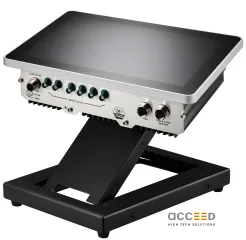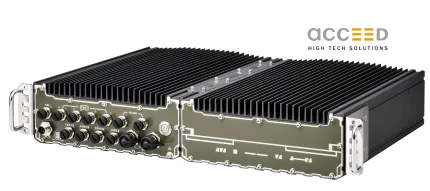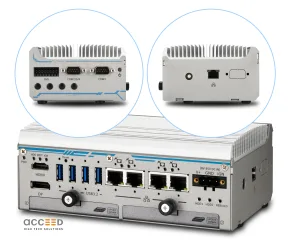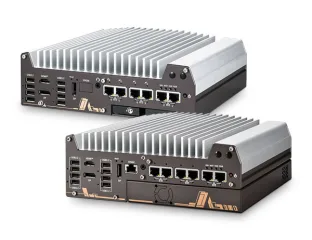
LOOKING FOR THE RIGHT

INDUSTRIAL SOLUTION?

Discover embedded, communication and automation solutions tailored to your application.

DAQBench/R

ActiveX controls for ADLink Cards, runtime
  • Manufacturer Adlink Technology Inc.
  • Category: ADLink Driver, Software
  • DAQBench/R is the runtime license package for ADLINK’s DAQBench software suite, a comprehensive collection of 32-bit ActiveX controls designed for measurement, data acquisition, analysis, and automation applications. It provides runtime deployment capability for applications developed using DAQBench development tools and ADLINK’s NuDAQ and NuDAM hardware platforms.
- Comprehensive ActiveX Control Suite:
Includes over 20 specialized ActiveX controls for data acquisition, visualization, analysis, and industrial automation.

- Hardware Integration:
Seamless integration with ADLINK NuDAQ PCI cards and NuDAM distributed I/O modules for analog, digital, and counter/timer operations.

- Cross-Platform Development Support:
Fully compatible with Microsoft Visual Basic, Visual C++, and Delphi environments supporting 32-bit ActiveX containers.

- User Interface Controls:
Graphical components such as DGraph, DChart, DKnob, DSlide, DBoolean, D7Segment, and DLEDMeter for real-time data display and control.

- Analysis Library:
Built-in DQAnalysis ActiveX control providing mathematical, statistical, and FFT functions for signal processing and data analysis.

- Information Integration Controls:
ExcelLinker, DBAccess, WebSnapshot, and OPCClient controls for linking DAQ data to Excel, databases, web servers, and OPC systems.

- Industrial Equipment Simulation:
DBEquip controls (Pump, Valve, Motor, Tank, Pipe) for SCADA/MMI visualization.

- Thermocouple Support:
Dedicated control for J, K, and T-type thermocouples with automatic voltage-to-temperature conversion.

- Remote Device Access (RDA):
Enables remote configuration and data acquisition from NuDAQ devices over a network.

- DDE/NetDDE Communication:
Built-in Dynamic Data Exchange client capability for real-time data sharing with other DDE servers or networked systems.

Country of origin: Taiwan R.O.C.

Comprehensive Product Summary: DAQBench/R Runtime ActiveX Controls for ADLINK Cards


### 1. Product Overview

Product Name: DAQBench/R
Model: DAQBench/R Runtime License
Series: DAQBench Series – 32-bit ActiveX Controls for Measurement and Automation
Article Number: DAQBench/R
Manufacturer: ADLINK Technology Inc.
Manufacturer Address: 9F, No. 166, Jian Yi Road, Chungho City, Taipei, 235 Taiwan, R.O.C.
Website: [www.adlink.com.tw](http://www.adlink.com.tw)
Support Contacts:
- Sales & Service: service@adlink.com.tw
- Technical Support (NuDAQ): nudaq@adlink.com.tw
- Software Support: sw@adlink.com.tw

Product Description:
DAQBench/R is the runtime license package for ADLINK’s DAQBench software suite, a comprehensive collection of 32-bit ActiveX controls designed for measurement, data acquisition, analysis, and automation applications. It provides runtime deployment capability for applications developed using DAQBench development tools and ADLINK’s NuDAQ and NuDAM hardware platforms.


### 2. Key Features

- Comprehensive ActiveX Control Suite:
Includes over 20 specialized ActiveX controls for data acquisition, visualization, analysis, and industrial automation.

- Hardware Integration:
Seamless integration with ADLINK NuDAQ PCI cards and NuDAM distributed I/O modules for analog, digital, and counter/timer operations.

- Cross-Platform Development Support:
Fully compatible with Microsoft Visual Basic, Visual C++, and Delphi environments supporting 32-bit ActiveX containers.

- User Interface Controls:
Graphical components such as DGraph, DChart, DKnob, DSlide, DBoolean, D7Segment, and DLEDMeter for real-time data display and control.

- Analysis Library:
Built-in DQAnalysis ActiveX control providing mathematical, statistical, and FFT functions for signal processing and data analysis.

- Information Integration Controls:
ExcelLinker, DBAccess, WebSnapshot, and OPCClient controls for linking DAQ data to Excel, databases, web servers, and OPC systems.

- Industrial Equipment Simulation:
DBEquip controls (Pump, Valve, Motor, Tank, Pipe) for SCADA/MMI visualization.

- Thermocouple Support:
Dedicated control for J, K, and T-type thermocouples with automatic voltage-to-temperature conversion.

- Remote Device Access (RDA):
Enables remote configuration and data acquisition from NuDAQ devices over a network.

- DDE/NetDDE Communication:
Built-in Dynamic Data Exchange client capability for real-time data sharing with other DDE servers or networked systems.


### 3. Technical Specifications

System Requirements:
- Operating Systems: Windows 95/98/NT/2000 (32-bit)
- Processor: 66 MHz 80486 or higher
- Memory: Minimum 32 MB RAM
- Disk Space: Minimum 10 MB free
- Display: VGA or higher resolution
- Input Device: Microsoft-compatible mouse
- ActiveX Container: Visual Basic, Visual C++, or Delphi (32-bit)

Installed File Structure:
- ActiveX Controls:
Located in `\DAQBench\OCX`
Includes: Digital.ocx, Multiple.ocx, DBUI.ocx, DBGraph.ocx, NDDigital.ocx, NDAnalog.ocx, NDHost.ocx, NDCounter.ocx, DQAnalysis.ocx, DBEquip.ocx, ExcelLinker.ocx, DBAccess.ocx, WebSnapshot.ocx, OPCClient.ocx, Thermocouple.ocx

- Utilities:
`\DAQBench\PCIDAQ` – DAQDevMgr.exe, NuDAQCfg.exe, RDASvr.exe
`\DAQBench\Util` – DAQCvt.exe (binary-to-text data converter)

- Libraries:
`\DAQBench\Varpacker` – VarPacker.dll, VarPacker.lib, VarPacker.h (data type wrapping for VARIANT structures)

- Documentation:
`\DAQBench\Manual` – PDF manuals and help files

File Size and Architecture:
All controls are 32-bit COM/ActiveX components designed for Windows system directories (`\Windows\System` or `\WinNT\System32`).


### 4. Functionality

Core Function:
DAQBench provides a modular ActiveX-based framework for developing custom measurement, automation, and data acquisition applications. It allows developers to graphically design user interfaces, control ADLINK hardware, and process acquired data.

Use Cases:
- Laboratory data acquisition and analysis
- Industrial process monitoring and control
- SCADA/MMI system development
- Automated test equipment (ATE)
- Remote data logging and visualization

Compatibility:
- Fully compatible with ADLINK NuDAQ PCI cards (e.g., PCI-7200, PCI-9112, PCI-9812)
- Supports NuDAM serial I/O modules (ND60xx series)
- Integrates with Microsoft Office (Excel), ODBC databases, and OPC servers

Programming Environments:
- Visual Basic: Simplified ActiveX integration with property pages and event-driven programming.
- Visual C++: MFC wrapper class support with ClassWizard integration.
- Delphi: Component palette integration with Pascal import units.


### 5. Components & Accessories

Included ActiveX Controls:
1. User Interface Controls: DBoolean, DSlide, DKnob, D7Segment, DLEDMeter, DGraph, DChart, DXYGraph, DIntenGraph, DIntenChart
2. NuDAQ PCI Controls: Digital I/O, Analog I/O, Counter/Timer controls for ADLINK PCI cards
3. NuDAM Controls: Serial communication controls for distributed I/O modules
4. Analysis Control: DQAnalysis for mathematical and statistical operations
5. Equipment Controls: DBEquip (Pump, Valve, Motor, Tank, Pipe)
6. Integration Controls: ExcelLinker, DBAccess, WebSnapshot, OPCClient
7. Thermocouple Control: J, K, T-type thermocouple conversion
8. DDE/NetDDE Functionality: Real-time data exchange with external applications

Optional Utilities:
- NuDAQCfg: Device configuration utility
- RDASvr: Remote Device Access server
- DAQCvt: Binary data converter for file export
- VarPacker Library: Simplifies VARIANT data handling in C/C++


### 6. Installation & Setup

Installation Steps:
1. Insert the “ADLINK DAQBench” CD and run `SETUP.EXE`.
2. Follow on-screen instructions (Administrator privileges required for NT/2000).
3. After installation, launch NuDAQ Configuration Utility to register and configure PCI cards.
4. Verify installation of OCX files in system directories.
5. Register controls using `REGSVR32` if necessary.

Configuration:
- Define local and remote devices using NuDAQCfg.
- For remote access, configure RDA Server (RDASvr.exe).
- Assign device names for use in applications.

Development Setup:
- Add DAQBench controls to Visual Basic Toolbox or Visual C++ Component Gallery.
- Use property pages to configure control parameters.
- Implement event handlers for data acquisition and control events.


### 7. Performance & Capabilities

Data Acquisition:
- Supports analog input/output, digital I/O, and counter/timer operations.
- Continuous and single-sample modes available.
- Stream-to-file capability for high-speed data logging.

Graphical Display:
- Real-time plotting with DGraph and DChart controls.
- Multi-plot support (up to 8 plots per control).
- Intensity and XY plotting for 2D/3D visualization.

Analysis:
- Statistical functions: Mean, Variance, Standard Deviation, RMS, Histogram
- Mathematical operations: Array manipulation, FFT, Matrix algebra
- Complex number and polynomial evaluation support

Integration:
- ExcelLinker for direct Excel data export
- DBAccess for ODBC database connectivity
- OPCClient for industrial process data exchange
- WebSnapshot for remote web-based monitoring

Limitations:
- 32-bit architecture (no native 64-bit support)
- Windows-only environment
- Requires ActiveX-compatible development tools


### 8. Standards & Compliance

Software Standards:
- COM/ActiveX 32-bit standard compliant
- OLE Automation compatible
- ODBC and OPC interoperability

Regulatory Compliance:
- Designed for use with CE and FCC-compliant ADLINK hardware
- Conforms to Microsoft Windows software development standards

Industry Standards Supported:
- OPC (OLE for Process Control)
- DDE/NetDDE for inter-application communication
- ODBC for database access


### 9. Additional Information

Warranty & Licensing:
- DAQBench/R provides a runtime license for deploying DAQBench-based applications.
- Development licenses are sold separately.
- License key (serial number) must be registered in Windows Registry under:
`HKEY_LOCAL_MACHINE\Software\ADLink\DAQBench\CurrentVersion\Serial`

Support & Maintenance:
- Technical support via email and web resources.
- Software updates available through ADLINK’s website.
- Comprehensive PDF manuals and online help included.

Distribution Guidelines:
- Redistributable OCX and DLL files provided in `\Software\DAQBench
edist`.
- Required runtime dependencies:
- `mfc42.dll`, `msvbvm50.dll`, `oleaut32.dll`, `stdole2.tlb`
- `DAQDevMgr.exe`, `DMProxyStub.dll`, `FdNuDAQ.sys` (for PCI devices)
- Registration utilities: `REGSVR32.EXE` and `.reg` files for serial and driver registration.

Maintenance Tools:
- DAQCvt: Converts binary data logs to text or Excel-readable formats.
- NuDAQCfg: Manages device registration and buffer allocation.
- RDASvr: Enables remote device access across Windows networks.

Documentation:
- User’s Guide (Rev. 2.10, Nov 2000)
- Distribution Guide (Rev. 1.00, Feb 2001)
- Function Reference Manuals for UI, Analysis, and Equipment Controls


### Summary

DAQBench/R is a robust runtime environment enabling deployment of measurement and automation applications built with ADLINK’s DAQBench development suite. It combines a rich set of ActiveX controls for data acquisition, visualization, and analysis with seamless integration to ADLINK hardware and industry-standard interfaces such as OPC, ODBC, and DDE. Designed for engineers and developers in test, measurement, and industrial automation, DAQBench/R provides a scalable, modular, and visually intuitive platform for real-time data-driven applications.

No accessories available.